Editor Han Tools
현장의 흐름을,
더 단순하게.
Less friction.
More flow.
現場の流れを、
もっとシンプルに。
촬영하고, 정리하고, 다음 팀에 건네는 일. 복잡한 과정은 줄이고 중요한 판단에 집중하도록 만든 도구입니다. Tools that simplify capture, editorial handoff, and release planning—so the work stays clear from set to screen. 収録、整理、そして次のチームへの引き継ぎ。複雑な工程を減らし、大切な判断に集中するためのツールです。
CaptureCaptureCapture
모든 카메라를 한 화면에.
촬영이 끝나면, 바로 편집으로.
Every camera. One view.
Ready for editorial.
すべてのカメラを、一つの画面に。
収録から編集へ、そのまま。
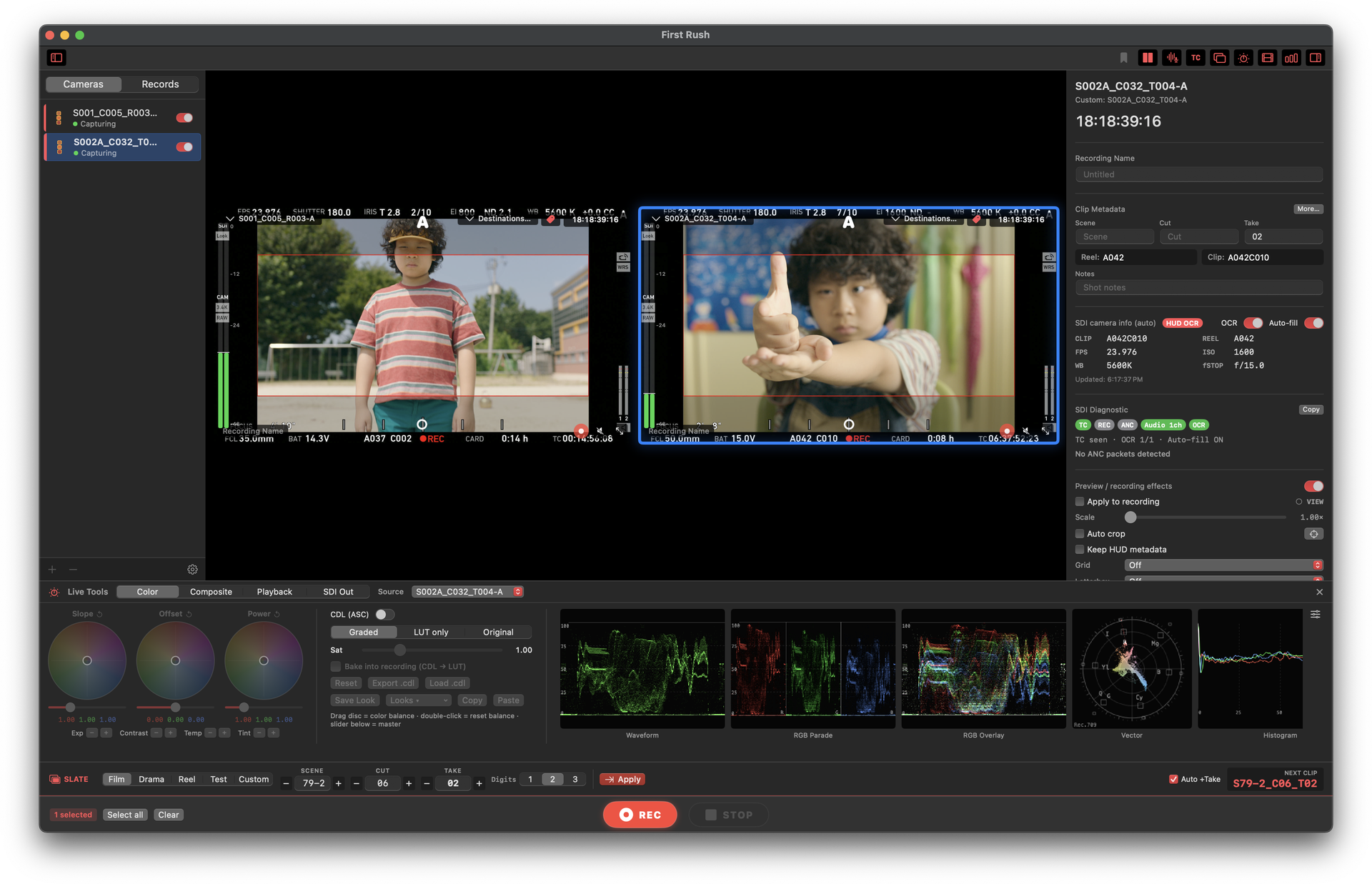
macOS · SDI · ProRes
First Rush
멀티카메라 SDI 신호를 한 Mac에서 ProRes로 기록하고, 룩·스코프·메타데이터를 실시간으로 관리합니다. 현장에서 확인한 테이크가 곧 편집 준비본이 됩니다. Record multicamera SDI feeds as ProRes on one Mac while managing looks, scopes, and metadata in real time. Each take you review on set is organized for editorial. 複数のSDI入力を1台のMacでProRes収録。ルック、スコープ、メタデータをリアルタイムで管理し、確認したテイクをすぐ編集へ渡せます。
- 멀티카메라 ProResMulticamera ProResマルチカメラProRes
- 라이브 룩과 스코프Live looks and scopesライブ・ルックとスコープ
- 촬영 메타데이터Production metadata撮影メタデータ
직접 다운로드 5.0.0 · Mac App Store 3.8.2Direct download 5.0.0 · Mac App Store 3.8.2直接ダウンロード 5.0.0 · Mac App Store 3.8.2
5.0.0 First Rush 알아보기Explore First RushFirst Rushを見るHandoffHandoffHandoff
필요한 컷만.
다음 팀이 바로 시작하게.
Only the cuts that matter.
Ready for what’s next.
必要なカットだけ。
次のチームが、すぐ始められる形に。
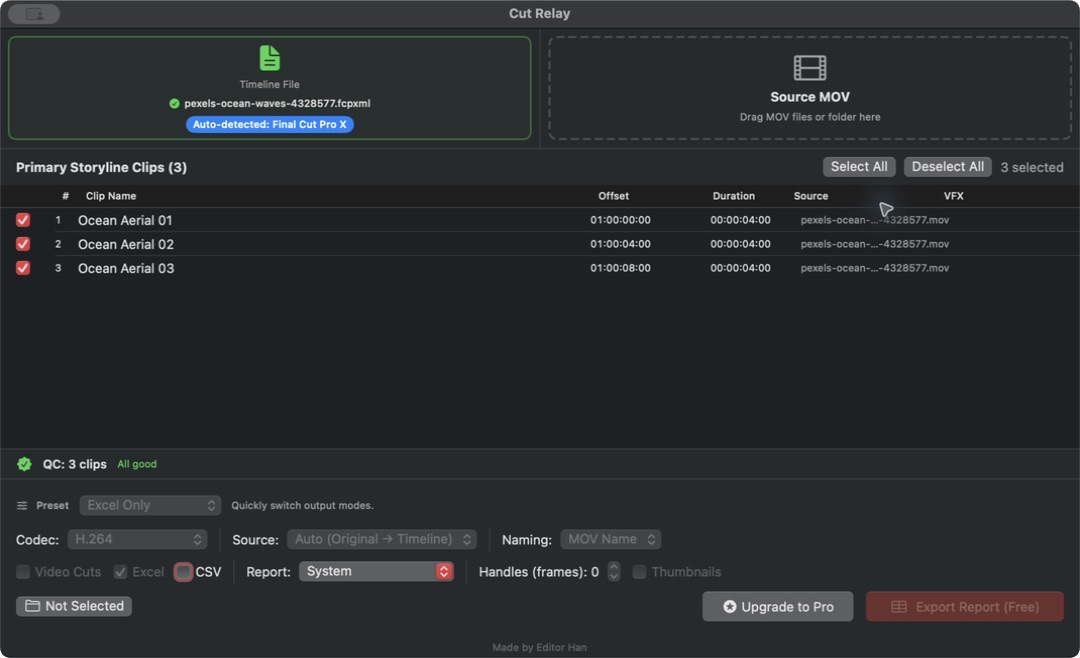
macOS · Editorial handoff
1.0Cut Relay
타임라인을 불러오면 선택한 컷, 썸네일, 샷 리스트와 컨택트시트를 한 번에 정리합니다. 모든 처리는 Mac 안에서 끝나고, 전달에 필요한 결과만 남습니다. Bring in a timeline and turn selected cuts into clips, thumbnails, shot lists, and contact sheets in one pass. Processing stays on your Mac; only the handoff leaves it. タイムラインから選んだカットを、動画、サムネイル、ショットリスト、コンタクトシートへ一括整理。処理はMac内で完結し、共有に必要な成果物だけが残ります。
- 미디어 다시 연결Reconnect media素材を再リンク
- 누락 미디어 확인Find missing media不足素材を確認
- 한 번에 내보내기One-pass exportまとめて書き出し
CalendarsCalendarsCalendars
개봉일도, 공개일도.
한눈에.
What’s next,
at a glance.
劇場公開も、配信開始も。
ひと目で。
Theatrical
영화 개봉일 캘린더Movie Release Calendar映画公開カレンダー
국내 극장 개봉 일정을 월간·목록으로 보고, 내 캘린더에 바로 구독합니다.See Korean theatrical dates in month or list view, then subscribe from your calendar app.韓国の劇場公開日を月表示・リスト表示で確認し、いつものカレンダーに登録できます。
캘린더 열기Open calendarカレンダーを開くStreaming
OTT 공개일 캘린더OTT Release CalendarOTT配信カレンダー
Netflix와 Disney+ 오리지널 공개일을 플랫폼별로 보고, 내 캘린더에 구독합니다.Track Netflix and Disney+ original release dates by platform and subscribe.NetflixとDisney+のオリジナル配信日をサービス別に確認し、カレンダーへ登録できます。
캘린더 열기Open calendarカレンダーを開く